
Lesson
How to Properly Tag a QR Code for Document Accessibility
QR codes show up in more and more documents — but without proper tagging, they can become an accessibility barrier. In this lesson, we’ll walk through three common scenarios you may encounter and how to tag each one correctly.

What You’ll Learn
- When it’s best to use alt text on the QR code image itself
- How to tag both a QR code and its printed link when they appear together
- How to handle a QR code by itself by using a link with Actual Text instead of alt text
- Why consistency matters more than the specific method you choose
Download the practice file and follow along with the examples below.
Sample A:
QR Code with Little or No Surrounding Text
When the QR code is presented on its own, the cleanest solution is to apply alt text directly to the image.
Correct Tagging Structure
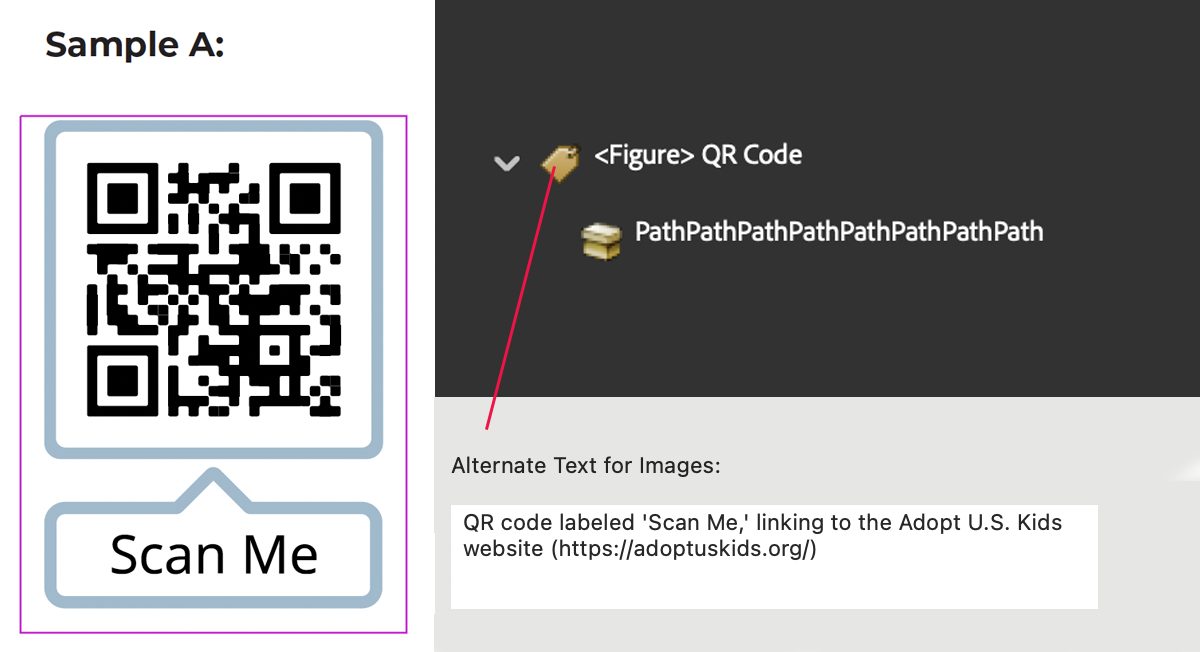
This ensures screen reader users understand the purpose of the QR code, even when no surrounding text is available.
👉 In the video walkthrough, you’ll see how to add alt text to an image tag using Acrobat’s Object Properties panel.
Sample B:
QR Code with the Destination Link Shown Underneath
When both a QR code and a visible URL are provided, you need to tag both elements so users have options.
Correct Tagging Structure
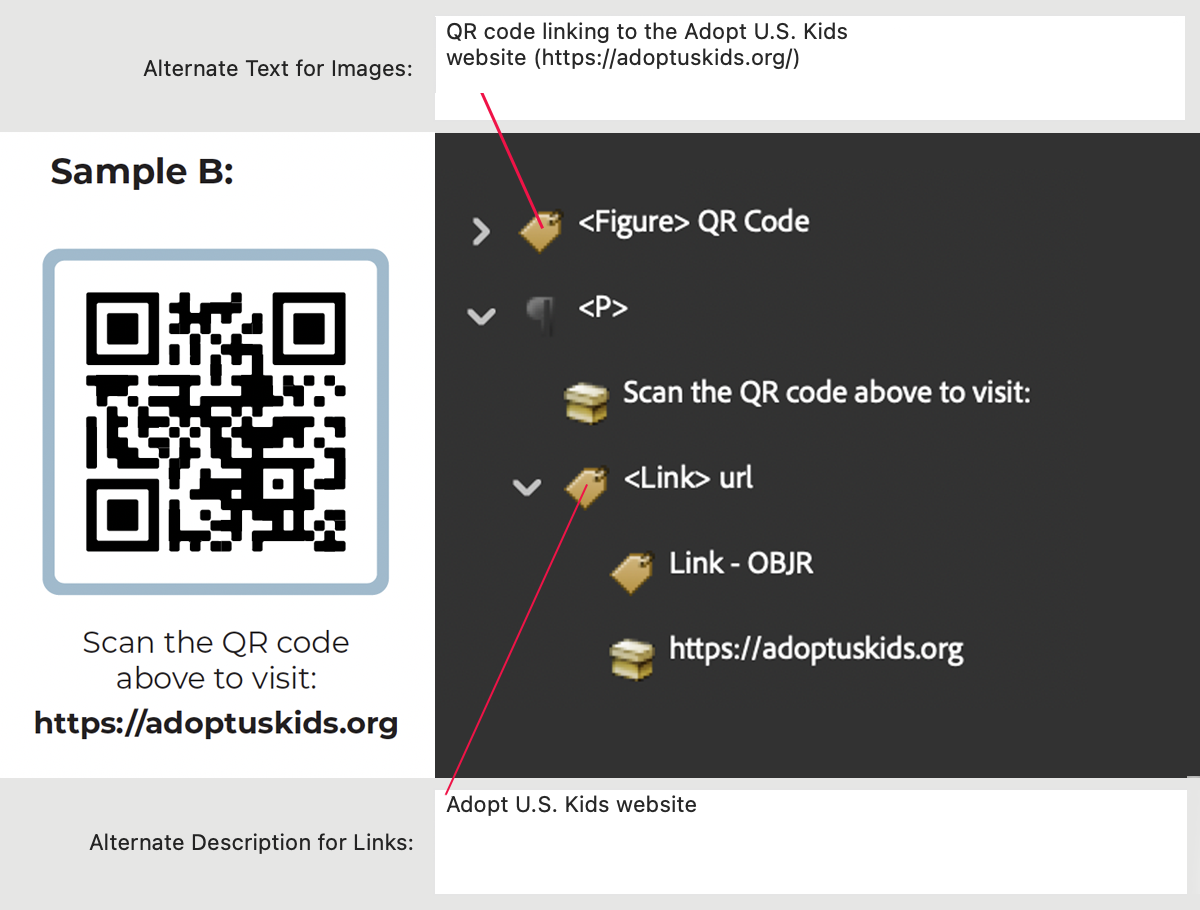
This way, screen reader users can either:
- Rely on the QR code’s alt text, or
- Activate the visible hyperlink directly.
👉 In the video walkthrough, you’ll see how to use Acrobat’s Reading Order tool to build this structure step by step.
Sample C:
QR Code by Itself, Converted into a Link
Sometimes a QR code is used as the only access point, with no accompanying text. In this case, you might want to use the editing features in Adobe Acrobat to create a link around the QR code.
Correct Tagging Structure
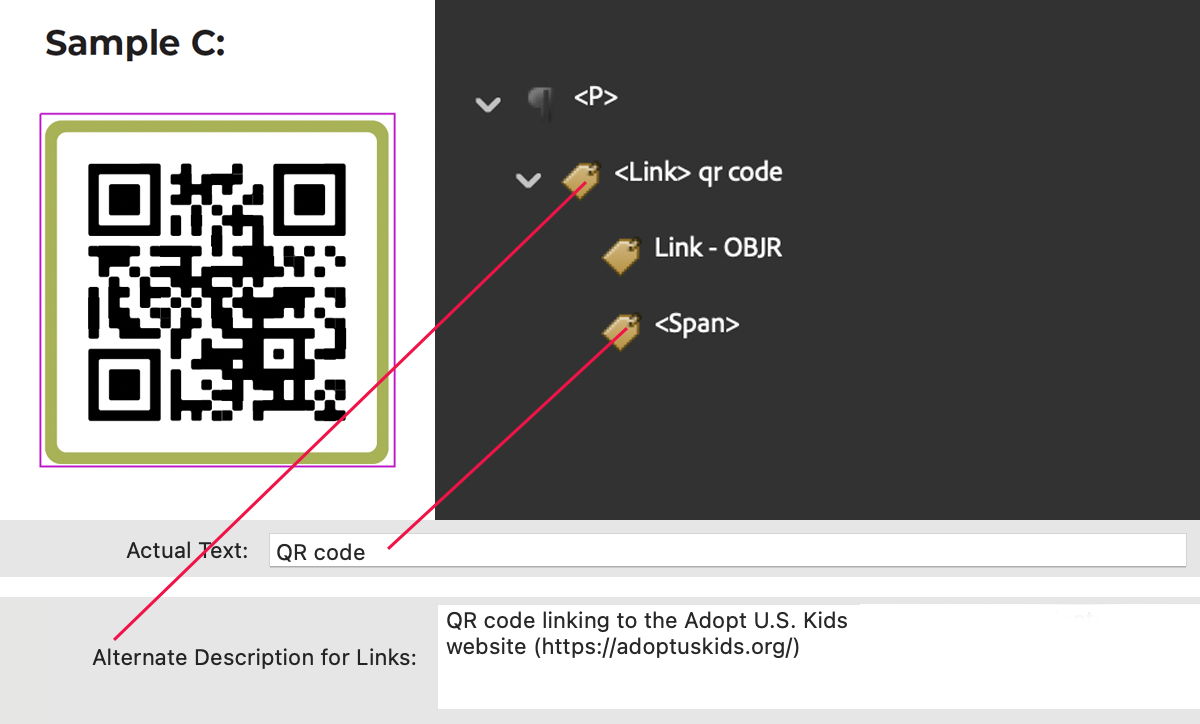
In most cases you cannot nest an <Figure> tag (which requires alt text) inside a <Link> tag (which also requires alt text) without getting a nested alt text warning when the document is tested. This method avoids a nested alt text warning while still giving users meaningful link text.
👉 In the video walkthrough, you’ll see how to artifact the QR code and replace it with a span inside the link.
Why Consistency Matters
There isn’t just one correct way to tag a QR code. What matters most is that your organization chooses a method and applies it the same way across all documents. Consistency ensures:
- A predictable experience for screen reader users when they reference your documents.
- Less confusion when reviewing multiple documents together.
- Easier quality control for your remediation team.
Whether you prefer alt text on the image, tagging the printed link (when available), or using a span with Actual Text, staying consistent is more important than which method you select.
Practice File
📄 Download the Download the QR code practice document and try these methods yourself. Each sample (A, B, C) above is included so you can test your tagging skills in a real PDF.